What MICR is for
The line of numbers along the bottom of a check is the MICR line (magnetic ink character recognition). It carries the bank's routing number, your account number and the check number, printed in a special font called E-13B in the US. The ink or toner contains iron oxide, so bank sorting equipment can read the characters magnetically as well as optically. That lets machines read the line reliably even when it is overprinted by a stamp or signature.
MICR is only about that bottom line. The payee, amount, date and signature can be in ordinary toner. The standards for the MICR line (font, position, and magnetic signal strength) are set by ANSI X9 standards the banking industry follows.
Do you still need MICR toner?
Since the Check 21 Act (the Check Clearing for the 21st Century Act, 2003), most checks clear as images rather than paper, and many are deposited by phone. Machines still read the MICR line, often from the image, but paper checks that reach a bank's sorter are still read magnetically. A MICR line printed in ordinary toner may read optically and still fail a magnetic read, and a check that fails can be rejected, returned or keyed by hand, sometimes with a fee.
Requirements vary by bank. Some banks insist on MICR toner and test sample checks before you go live; others are more relaxed. Ask your bank for its check specifications and send them sample checks before switching to in-house printing. When in doubt, use MICR toner. It costs more than standard toner, but you only need it in the printer used for checks.
The printer
- Laser printers are the norm. MICR toner cartridges exist for many common business laser printers, from the printer maker or specialist suppliers. Check that one is available for a model before buying it for checks. MICR inkjet ink exists but is less common.
- A dedicated check printer keeps MICR toner out of everyday printing and makes it easy to lock the paper tray. Some models have a locking tray or require a PIN to release jobs.
- Print quality at the bottom edge matters. Faint, smeared or misplaced MICR characters are the usual cause of rejects. Keep the printer clean and do not run check stock through a printer that curls paper badly.
The ENERGY STAR printer register lists certified laser printers to shortlist before checking MICR cartridge availability.
Check stock security features
Business check stock is sold with layers of security features. More is better, but a few matter most against the common frauds: copying, altering the payee or amount, and washing the ink off to rewrite the check.
| Feature | What it does |
|---|---|
| Microprinting | A line of tiny text, often the signature line, that blurs into a dotted line when copied or scanned. |
| Void pantograph | A hidden pattern that shows the word VOID on a photocopy. |
| Chemically reactive paper | Stains or shows a mark when solvents or bleach are used to wash off the ink. |
| True watermark | Formed in the paper at manufacture, visible when held to the light, not reproducible on a printer. |
| Thermochromic ink | Fades or changes color when rubbed or warmed, then returns. |
| Toner anchorage coating | Helps toner bond to the paper so it cannot be lifted off with tape. |
| Security features list | Printed on the back, often with a padlock icon, so tellers know what to check. |
Choose the layout your software supports: check on top, middle or bottom of a letter sheet, with stubs for the payee's records and yours.
Controls around printing
- Positive Pay. Most business banks offer it: you send the bank a file of the checks you issued, and it flags any presented check that does not match. It is one of the most effective controls against altered and counterfeit checks. Ask about payee-name matching as well as amount and number.
- Lock up the stock and the toner. Count blank stock in and out, and keep it apart from the printer.
- Separate duties. The person who prints checks should not be the one who reconciles the account.
- Destroy voided and misprinted checks with a cross-cut or micro-cut shredder.
- Reconcile promptly. Your account agreement and the Uniform Commercial Code set time limits for reporting unauthorized or altered checks. Ask your bank and your lawyer what yours are.
Costs people miss
- MICR toner cartridges cost noticeably more than standard ones.
- Check-printing software or add-on modules if your accounting package does not print MICR lines.
- Bank testing time: schedule it before your next pay run, not during.
- Rejected-item fees if the MICR line fails.
- Positive Pay is usually a paid treasury service.
For checks you receive rather than write, see check scanners for remote deposit.
Before you buy
- Get your bank's check specifications, including whether it requires MICR toner.
- Confirm your accounting software prints checks and, for blank stock, the MICR line.
- Pick a laser printer with a MICR cartridge available, ideally one kept for checks only.
- Buy stock with several security features and a feature list on the back.
- Send test checks to the bank and wait for approval.
- Set up Positive Pay and a locked store for stock and toner.
MICR toner
Affiliate linksMagnetic toner for the MICR line on checks. Match the cartridge to your printer model and test with your bank first.

Ampro
Ampro New 141A MICR Toner Cartridge for Check Printing Works with Laser Printers M110, M110W, M140W, MFP M139. Prints 950 Pages.
CheckPrintingSupplies
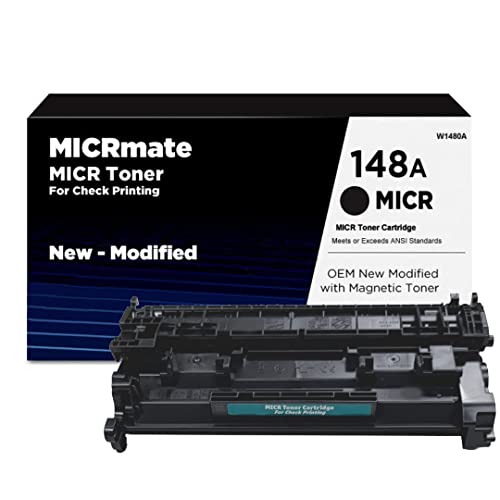
CheckPrintingSupplies Brand W1480A OEM New Modified MICR Toner Cartridge for Check Printing for use in HP LaserJet Pro 4001 Printers - 148A MICR

TROY
Troy 4001/4101 MICR Toner Secure Standard Yield Cartridge, Check Printing, Coordinating HP Part Number: W1480A, Yields 2900 Pages, Black

VersaCheck
VersaToner - 134A (W1340A) MICR Toner Cartridge for Check Printing - Compatible with HP Laserjet M209 Series, M234 Series, M236 Series Printers, Black
Prices retrieved from Amazon on 2026-09-29 and may since have changed; the price on Amazon at the time of purchase is the one that applies. As an Amazon Associate we earn from qualifying purchases, at no extra cost to you. No manufacturer pays for a place in this list.
Blank check stock
Affiliate linksSecurity check paper for laser printers. Look for several listed security features and a feature list on the back.

DocuGard
DocuGard Standard Blue Marble Top High Security Check Paper - Laser/Inkjet Printer Compatible - 11 Security Features - 500 Blank Business Checks

DocuGard
DocuGard Blue/Red Premier Prismatic Top High Security Check Paper - Laser/Inkjet Printer Compatible - 13 Security Features - 500 Blank Business Checks (04532)

Check O Matic
Business Checks on Top, Blank Check Paper for Printer 100/pack Check Stock

Compuchecks
Compuchecks 500 Blank Check Stock, Check on Bottom, Blue Diamond
Prices retrieved from Amazon on 2026-09-29 and may since have changed; the price on Amazon at the time of purchase is the one that applies. As an Amazon Associate we earn from qualifying purchases, at no extra cost to you. No manufacturer pays for a place in this list.