1D and 2D
1D barcodes are the familiar stripes: UPC and EAN on retail goods, Code 128 and Code 39 on shipping and inventory labels. 2D codes store data in a grid: QR codes, Data Matrix on small parts and healthcare items, and PDF417 on US driver's licenses and many boarding passes.
| Scanner | Reads | Good at | Limits |
|---|---|---|---|
| Laser | 1D only | Printed labels at a distance | Cannot read QR codes or phone screens |
| Linear imager | 1D only | Retail labels, including worn or low-contrast ones | Cannot read QR codes |
| 2D area imager | 1D and 2D, including QR, Data Matrix and PDF417 | Everything, including codes on phone screens | Costs more than 1D models |
For a new purchase, buy a 2D imager unless the budget is very tight. Customers present coupons, loyalty cards, tickets and order pickups on phone screens, and laser scanners cannot read screens reliably. Retail is also moving toward 2D codes on products: the GS1 US "Sunrise 2027" initiative asks retailers to be able to scan 2D barcodes at the point of sale by the end of 2027.
Corded, cordless and presentation
- Corded handheld. The cheapest and most reliable. Nothing to charge. Fine at a fixed counter where goods come to the cashier.
- Cordless handheld. A base station plugs into the computer; the scanner links by radio or Bluetooth. Worth it for bulky items that stay in the cart, stockrooms and receiving. Check the range, the battery life for a full shift, and whether the scanner stores scans in memory when it goes out of range.
- Presentation scanner. Sits on the counter and reads anything waved in front of it. Faster for small goods, and good for customers showing phone codes. Many can be picked up for a large item.
- In-counter and bioptic. The flatbed scanners at grocery lanes, often combined with a scale. Installed by a POS dealer, not bought off a shelf.
- Mobile computers. Rugged handhelds with a built-in scanner and screen, for inventory counts and warehouse picking.
How it connects
Most scanners connect by USB and appear to the computer as a keyboard ("keyboard wedge" or HID mode). Whatever field has the cursor receives the code as if typed, so they work with nearly any POS system, spreadsheet or web form without drivers. Other options:
- Bluetooth to a tablet or phone. Check the POS app supports it, and that the scanner can pair in keyboard mode.
- Serial (RS-232) for older cash registers and scales. Check the connector before ordering.
- USB COM or vendor modes used by some POS software for faster or more controlled input.
Scanners are configured by scanning setup barcodes from the manual: which symbologies to read, whether to add an Enter key after each scan, beep volume and so on. Keep the manual, or bookmark the maker's configuration guide.
Specifications that matter
- Symbologies. Confirm the scanner reads every code you use, including GS1 DataBar on produce and coupons if you sell groceries.
- Drop rating and sealing. Rated drops to concrete, and an IP rating for dust and water, matter in warehouses, garden centers and anywhere the scanner lives outside a drawer.
- Motion tolerance for fast lanes, and a scan engine that handles damaged, wrinkled or low-contrast labels.
- Healthcare models with housings that tolerate disinfectant wipes.
- Stand included. A stand turns most handhelds into a hands-free scanner.
Printing your own barcodes
Products sold through retailers need GS1-issued UPC numbers. For internal inventory and asset tags, Code 128 or QR labels from a thermal label printer or a label maker work well. Test that your scanner reads your label stock before printing thousands.
Costs people miss
- Spare batteries and cradles. A cordless scanner used across two shifts may need a spare battery or a second cradle.
- Cables. Scanners are often sold with one cable type. A serial register or a different USB port may need a separate cable from the maker.
- Software licenses. Some advanced features, such as ID parsing or reading damaged codes at speed, are paid add-ons on otherwise similar hardware.
- Replacement cycle. Dropped scanners fail. Keep one spare at a busy store rather than waiting for a replacement to ship.
Before you buy
- List every code you scan now, and assume QR and phone screens are coming.
- Choose 2D unless you only ever scan printed 1D labels.
- Pick corded for a fixed counter, cordless for bulky goods or stockrooms.
- Confirm USB keyboard mode or Bluetooth support in your POS software.
- Check drop and sealing ratings against where it will be used.
- Buy a stand if cashiers need both hands.
2D barcode scanners
Affiliate linksHandheld 2D imagers read printed barcodes, QR codes and codes on phone screens.

Eyoyo
Eyoyo EYH2 Handheld USB Wired 2D 1D Barcode Scanner for POS Mobile Payment

UNIDEEPLY
1D 2D Wired Bar Code Scanners Readers for Computers, UNIDEEPLY USB Cable Barcode Handheld, Scanning Label QR PDF417 UPC EAN Data Matrix Reader Gun Retails Precise Scan for Screen Payment Store, Black

onewscan
ONEWSCAN 2D Barcode Scanner QR Code Scanner Handheld USB Wired Scanner
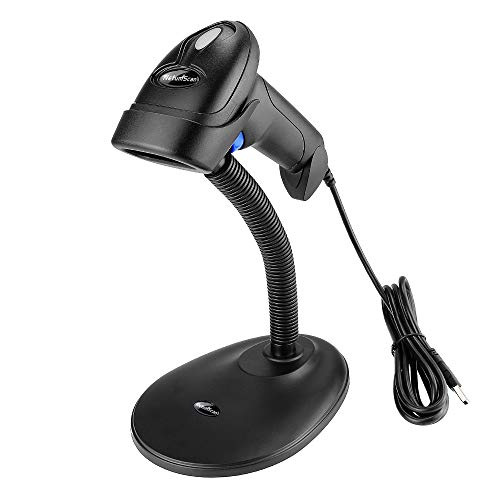
NetumScan
Handheld USB QR Barcode Scanner, NetumScan Wired Automatic 1D 2D Image Bar Code Reader with Adjustable Stand for Store, Supermarket, Warehouse (Wired)
Prices retrieved from Amazon on 2026-09-29 and may since have changed; the price on Amazon at the time of purchase is the one that applies. As an Amazon Associate we earn from qualifying purchases, at no extra cost to you. No manufacturer pays for a place in this list.
Cordless barcode scanners
Affiliate linksWireless or Bluetooth scanners with a base for stockrooms, receiving and bulky items.

Eyoyo
Eyoyo Handheld 1D 2D QR Bluetooth Wireless Barcode Scanner with Screen
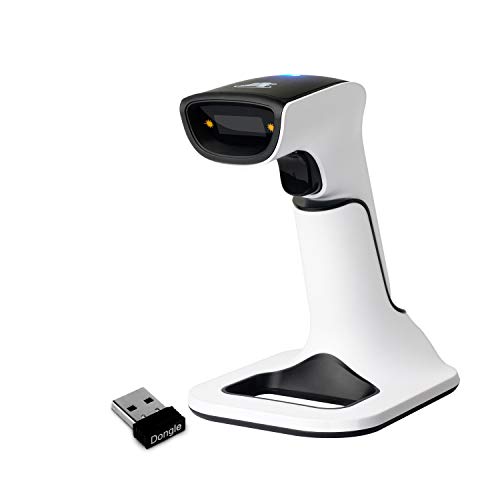
ScanAvenger
ScanAvenger Wireless Portable 1D&2D with Stand Bluetooth Barcode Scanner: 3-in-1 Handheld Scanner, Rechargeable Battery for Inventory - USB Bar Code/QR Reader (1D&2D with Next Gen Stand)

alacrity
Alacrity Upgraded 2D Industrial Barcode Scanner with Wireless Charging Stand, 1968 Feet Transmission Distance 433Mhz Wireless & Bluetooth 2in1 Barcode Reader, Shock Dust Proof Hands Free, Green

alacrity
2D Bluetooth Barcode Scanner with Charging Base Dual 2.4G Wireless + Bluetooth 1D 2D Barcode Scanner QR PDF417 Data Matrix UPC Rechargeable Bar Code Scanner for Laptops/PC/Android/Apple iOS
Prices retrieved from Amazon on 2026-09-29 and may since have changed; the price on Amazon at the time of purchase is the one that applies. As an Amazon Associate we earn from qualifying purchases, at no extra cost to you. No manufacturer pays for a place in this list.