Start with the card, not the printer
If the badge will also open doors, the card technology is set by your access control system, and the printer has to print on those cards. Buy the cards from, or with the approval of, your access control installer, and confirm the printer model with them before buying.
- Photo ID only: plain PVC or composite cards. Any printer works.
- Magnetic stripe: for time clocks, cafeteria and library systems. HiCo (high coercivity) stripes resist accidental erasure better than LoCo. Some printers encode the stripe as they print.
- Proximity (125 kHz) and smart cards (13.56 MHz): the common door-access cards. Most are programmed by the card supplier; a printer only needs to print on them without damaging the antenna.
- Contact chip cards: used for some logical access and payment-like applications. Encoding needs a printer with a contact encoder module and software support.
Standard ID cards are the CR80 size (3.375 by 2.125 inches, the same as a credit card, defined as ID-1 in ISO/IEC 7810). Thickness is quoted in mils; 30 mil is the usual weight for a durable badge. Check the printer's supported thickness range if you plan to use thicker prox cards.
Direct-to-card or retransfer
| Method | How it prints | Trade-offs |
|---|---|---|
| Direct-to-card (DTC) | Dye-sublimation ribbon prints straight onto the card surface | Lower printer and card cost; leaves a thin white border; struggles on uneven chip and prox cards |
| Retransfer | Prints onto a clear film, then bonds the film to the card | Edge-to-edge image, prints well over chips and bumps, tougher surface; higher cost per card |
Direct-to-card suits most offices issuing plain PVC badges. Choose retransfer if you print on prox or smart cards with uneven surfaces, want full-bleed designs, or need cards to survive years of daily use.
Single or dual-sided, and lamination
A single-sided printer can print the back by flipping the card by hand, but that is slow and error-prone for more than a few cards. Dual-sided printers flip the card automatically; buy one if the back carries a barcode, return address, emergency contacts or a policy statement.
A lamination module adds a clear or holographic patch. It extends card life and makes tampering visible. It is worth paying for where cards are used for identity checks by someone other than the people who issued them.
Ribbons and the real cost per card
| Ribbon | Use |
|---|---|
| YMCKO | Full color front with a black resin panel for text and barcodes, plus a clear overlay. The usual choice. |
| YMCKOK | Same, with a second black panel for a black-only back on dual-sided cards. |
| K (monochrome) | Black resin only. Cheapest per card; for text, barcodes and simple logos. |
| Overlay / laminate | Clear protective layer or patch. Holographic laminates add visual security. |
A color ribbon uses one full set of panels per side printed, whether the card is a full photo or a single line of text. Work out the cost per card from the ribbon price, its rated image count, the card price and, for retransfer printers, the film. Many printers accept only the maker's chipped ribbons, so that price is locked in for the life of the machine.
Software and data
- Badge design software is often sold separately, in tiers. The basic tier may lack database links, barcode types or encoding support.
- Link to your HR or member records rather than typing names, so one source of truth feeds the badge.
- Photos and personal data sit on the badging PC. Protect it like any system holding employee records, and check any state biometric privacy law if you capture facial templates rather than plain photos. Ask a lawyer where that applies to you.
Costs people miss
- Cleaning kits. Dust on cards shows as spots, and printheads are expensive to replace.
- Wasted cards while designs are tested and while staff learn the software.
- Encoding modules added later cost more than buying them with the printer.
- Printhead warranty terms often require the maker's ribbons and regular cleaning.
- Badge holders, lanyards, clips and a camera with a plain backdrop.
Before you buy
- Ask your access control installer which card technology you use and which printers they support.
- Decide on direct-to-card or retransfer from the card type and the life you need.
- Choose dual-sided if anything goes on the back.
- Add lamination where cards are checked by outsiders or used for years.
- Work out the cost per card from ribbon, card and film prices.
- Confirm the software tier includes the database, barcode and encoding features you need.
- Plan how used ribbons and spoiled cards will be destroyed.
For visitor badges and shipping labels printed on paper rolls instead of PVC, see the label printer register and the guide to label makers.
ID card printers
Affiliate linksDirect-to-card and retransfer printers for PVC badges. Confirm card compatibility with your access control installer.
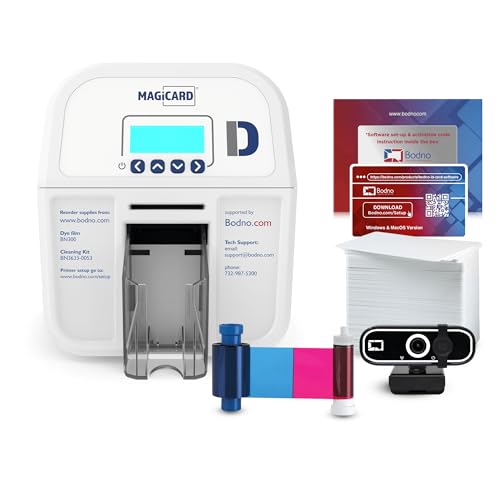
Bodno
Bodno Magicard D Dual Sided ID Card Printer & Complete Supplies Package ID Software - Silver Edition

Bodno
Bodno Magicard 400X Dual Sided ID Card Printer & Complete Supplies Package ID Software - Bronze Edition
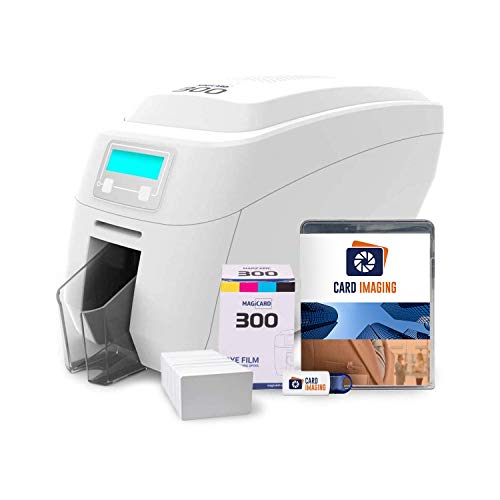
Card Imaging
Magicard 300 Dual Sided ID Card Printer & Supplies Bundle (3300-0021)

Card Imaging
Magicard 600 Dual Sided ID Card Printer & Supplies Bundle (3652-5021)
Prices retrieved from Amazon on 2026-09-29 and may since have changed; the price on Amazon at the time of purchase is the one that applies. As an Amazon Associate we earn from qualifying purchases, at no extra cost to you. No manufacturer pays for a place in this list.
Ribbons and blank cards
Affiliate linksRibbons are usually tied to the printer maker; match the part number to your model.

Bodno
1 Pack - Evolis Primacy 2 R5F208A100 Color Ribbon - YMCKO - 300 Prints with Bodno Software Demo Card
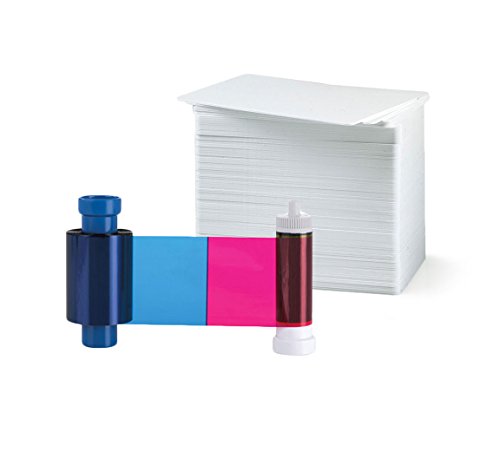
Bodno
Magicard MA100YMCKO Color Ribbon - YMCKO - 100 Prints with Bodno Premium CR80 30 Mil Graphic Quality PVC Cards - Qty 100

Evolis
Evolis R5F002AAA YMCKO Color Ribbon + 500 PVC Cards
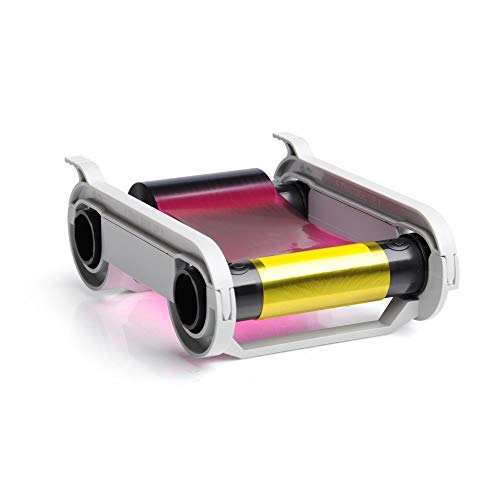
ID Card Pros
Primacy 200 Print Full-Color YMCKO Printer Ribbon - for PVC ID Holder Cards - Professional Print Quality - Official ID Maker Brand
Prices retrieved from Amazon on 2026-09-29 and may since have changed; the price on Amazon at the time of purchase is the one that applies. As an Amazon Associate we earn from qualifying purchases, at no extra cost to you. No manufacturer pays for a place in this list.